Today, you will learn how to solve crawled – Currently Not Indexed issues from your website
But before we start trying random SEO fixes, there is one thing you need to understand.
You don’t need to index every page on your website.
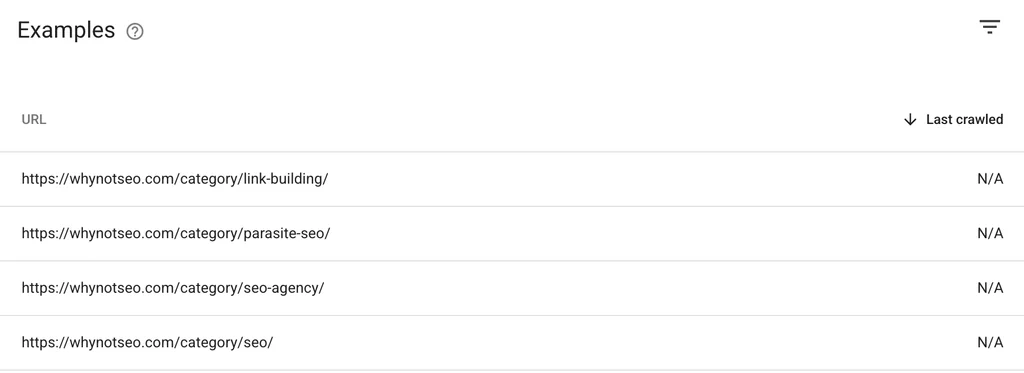
Like these page:
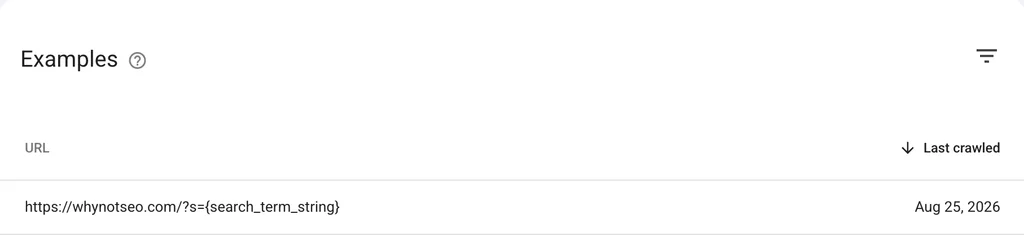
Or this page.
Some pages are thin, duplicate, useless or some random tags that has been on GSC.
So the goal is not to force every URL into Google’s index.
The goal is to identify the important pages and give Google a good reason to index them.
Recently, we worked on improving this issue and managed to get many important pages out of the “Crawled – Currently Not Indexed” status.
In this guide, I will walk you through the exact process.
Table of Contents
What Is “Crawled – Currently Not Indexed”?

“Crawled – Currently Not Indexed” means Google has crawled a page but has not added it to its search index.
In simple terms, Google found your page, visited it, and decided not to include it in search results at that time.
This does not always mean that something is broken.
Google can choose not to index a page for several reasons, including:
- Thin content
- Duplicate content
- Content that provides little unique value
- Weak internal linking
- Poor search intent match
- Weak on-page SEO
- Similar pages competing with each other
- Low-value URLs
The important part is this: Google has already crawled the page but decided not to add it on it’s database.
How to Fix “Crawled Currently Not Indexed”
While there is no any single buttom fixing this issues but there are several ways you can try.
Firstly, you need to look at the page, understand why it may not deserve to be indexed, and improve it.
Here is the process we use.
Step 1: Remove Thin Content
Let’s start with one of the most common problems: thin content.
Now, thin content does not simply mean a page has a low word count.
A 500-word page can be excellent.
A 3,000-word page can be terrible.
The real google wants is weather the page gives the searcher enough useful information.
For example, imagine you have a page targeting:
“How to impress a girl”
The page says:
“Approch her, ask for her instagram account, and start flirting with her”
Technically, you answered the question.
But you probably did not answer it very well.
A better page could explain:
- How to approach her
- How to talk properly
- How to spend time with her
- Common things to avoid
Now the page gives the reader much more value.
How to expand thin content
Open the page and ask yourself:
“If I searched for this topic, would this page completely answer my question?”
If the answer is no, find what is missing.
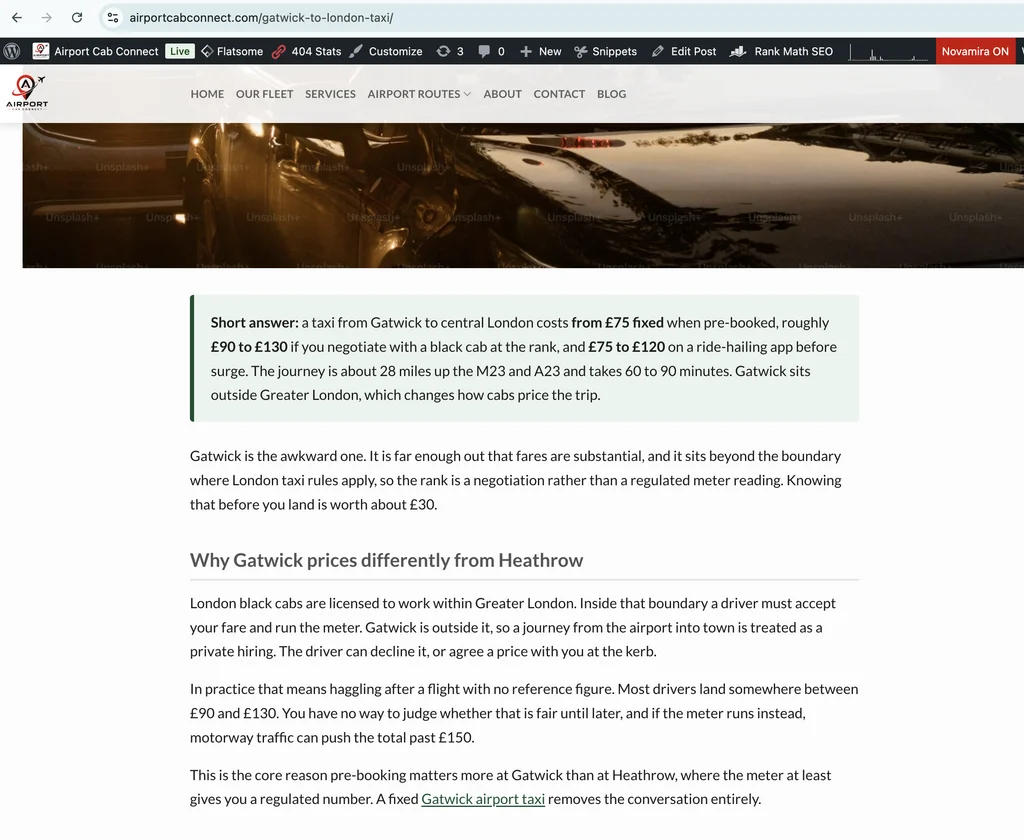
If the query is long tail then give the answer in short summary of an article at top of the page.
Add useful examples, explanations, steps, troubleshooting information, comparisons, or other information that helps the reader.
But don’t expand an article just to hit some magical word count.
Google does not care that you reached 2,000 words if 1,500 of those words are basically saying the same thing five different ways.
Instead, focus on answering the user’s next question.
If the reader finishes one section and naturally thinks, “But how do I do that?”, answer it.
If they think, “What happens if it doesn’t work?”, answer that too.
The goal is to make the page complete, not unnecessarily long.
Step 2: Create Unique Content
Now we get to another common problem.
Imagine Google already has 50 pages covering a topic.
You publish page number 51.
You rewrite the same information, change a few words, rearrange the headings, and publish it.
Then you wonder why Google is indexing your pages.
Fair question.
But what reason does Google have to index another page that provides almost the same information?
This is where unique content matters.
Unique content does not mean you need to be alber einstein and make up a new theory.
It means giving users something useful that other pages do not provide in the same way.
You can do this by adding:
- A different solution to a common problem
- Original examples
- Your own research
- Original data
- A different perspective
- Better explanations
- A detailed process
- Troubleshooting solutions
- Comparisons
- Information competitors missed
For example, instead of writing another generic article called:
“How to Improve SEO”
you could write:
“How We Fixed Crawled – Currently Not Indexed Pages on a Small Website”
Now you can explain what you actually changed, what happened, and what you learned.
That gives the article a reason to exist.
Find your own angle
Before publishing, look at the pages already ranking.
Ask:
“What are they missing?”
Maybe they explain the problem but don’t explain how to fix it.
Maybe they provide steps but no examples.
Maybe they cover the basics but ignore common mistakes.
That’s your opportunity.
Step 3: Build Strong Internal Links
Internal linking is another important part of the process.
Google uses links to discover pages and understand how different pages on your website relate to each other.
If an important page have no internal links then, Google has fewer signals showing how that page fits into your website.
So connect your important pages.
For example, if you have a page about Gimkit Game Modes, you could link to it from:
- A Gimkit beginner guide
- A Gimkit hosting guide
- A Gimkit tips article
- Other relevant Gimkit content
You should also link from the page you want indexed to other useful pages.
This creates a stronger content structure.
For example:
Gimkit Guide → Gimkit Game Modes → Gimkit Hosting Guide → Gimkit Tips
Now your content is connected instead of sitting around like four people who somehow ended up at the same party but never introduced themselves.
Don’t overdo internal links
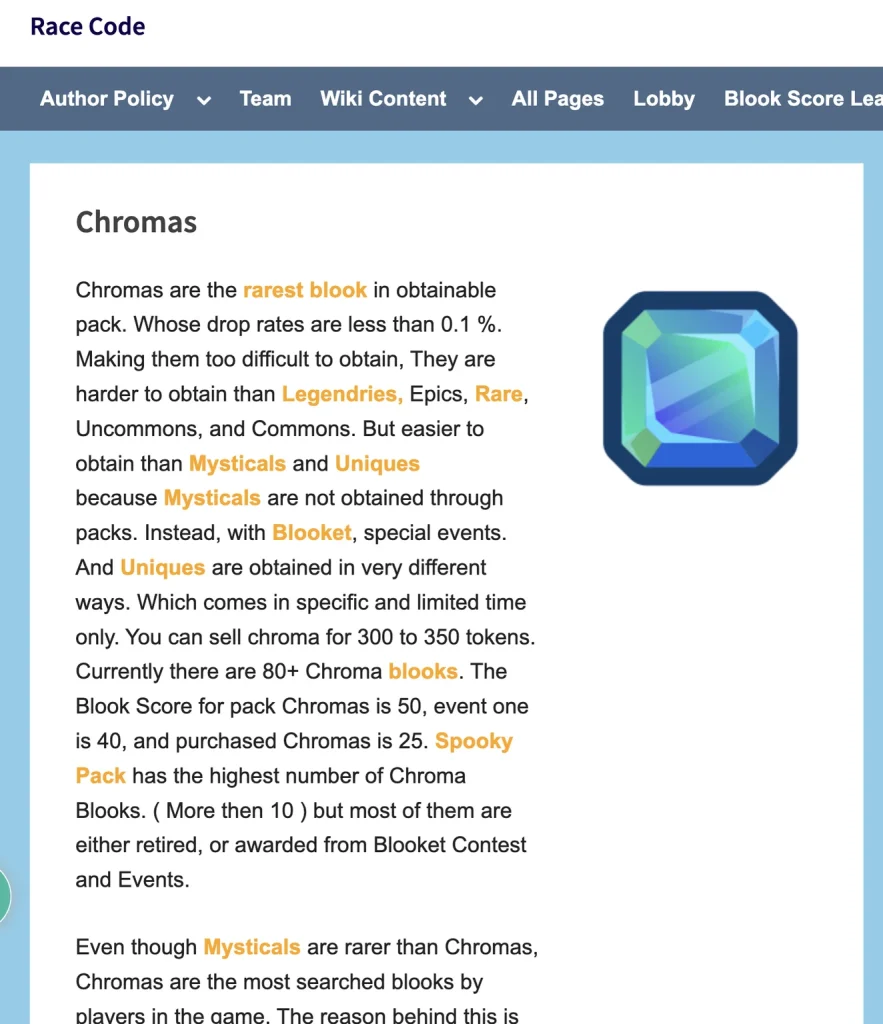
Internal linking is useful.
But you don’t need to turn every paragraph into a link.
Add links when another page genuinely helps the reader.
Use descriptive anchor text where appropriate.
For example:
Learn how to host a Gimkit game
is more useful than:
Click here
Keep the links natural.
Step 4: Improve Your On-Page SEO
Once your content and internal linking are in good shape, review the page’s on-page SEO.
This is where you make sure Google can easily understand what your page is about.
Optimize the title
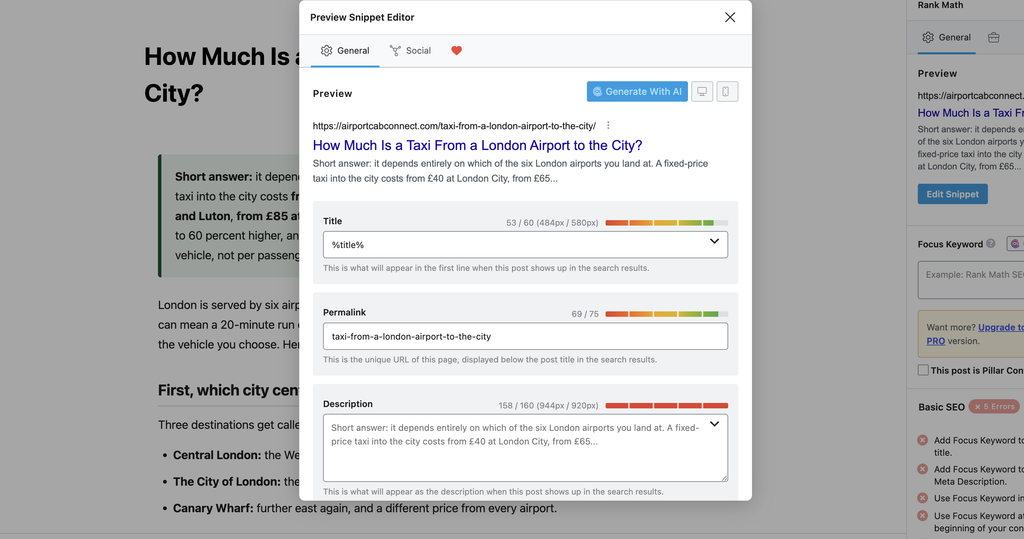
Your title should clearly describe the page.
For example:
How Much Is a Taxi From a London Airport to the City?
is clear and specific.
Something like:
Taxi Cost
doesn’t give Google or the reader much to work with.
Use clear headings
Break your content into logical sections.
Use H2s and H3s where they make sense.
This makes the article easier to scan and helps organize the information.
Optimize the URL
Keep your URL short and descriptive.
For example:
example.com/taxi-from-a-london-airport-to-the-city
is much easier to understand than:
example.com/page?id=849372&category=seo123
Your URL does not need to be complicated.
Optimize images
Give your image files descriptive names.
Instead of:
IMG_48392.jpg
use something like:
Taxi.jpg
Also add useful alt text when the image needs it.
Don’t stuff keywords into alt text.
Describe the image.
Improve the meta description
Write a clear description that explains what the page covers.
A meta description will not magically make Google index your page, but it can help users understand the page when Google chooses to display it.
Step 5: Check for Duplicate Content
Now check whether you have several pages targeting almost the same thing.
For example:
- Best Keyword Research Tools
- Top Keyword Research Tools
- Keyword Research Tools List
- Best Keyword Research for Beginners
If all four pages cover almost identical information and target the same search intent, you may have created four pages when one strong page would have been better.
In some cases, you may want to combine similar pages into one stronger resource.
Also check for:
- Duplicate URLs
- Similar articles
- Duplicate titles
- Tag pages
- Category pages
- Filter URLs
- Parameter URLs
- Empty archive pages
And remember, not every duplicate URL needs to be indexed.
Sometimes the best solution is to keep a page out of Google’s index.
That’s why you should not see 500 unindexed URLs and immediately think:
“I need to fix all 500 before dinner.”
You don’t.
Start with the pages that matter.
Step 6: Match Search Intent
Your page also needs to satisfy the reason behind the search.
Let’s say someone searches:
“How to fix Crawled – Currently Not Indexed.”
They want a solution.
They probably don’t want 1,000 words about the history of Google before seeing their first fix.
Give people what they came for.
If someone searches how to do something, provide clear steps.
If they search for a comparison, compare the options.
If they ask what something means, explain it.
If they search for a solution, give them the solution.
Search intent should guide the structure of the page.
Don’t make readers go on a treasure hunt to find the answer.
Step 7: Check Your Technical SEO
Content is important, but don’t forget the technical side.
Make sure Google can properly access and understand the page.
Check the canonical
Make sure the page has the correct canonical URL.
If another URL is marked as the canonical version, Google may decide that the other URL is the one it should index.
Check for noindex
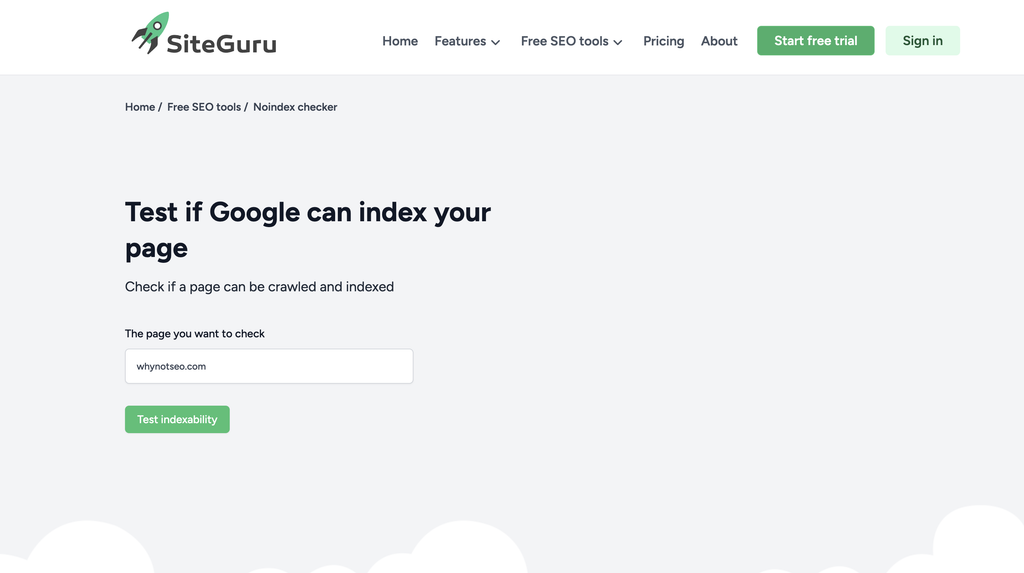
Make sure the page does not contain a noindex directive if you want it indexed.
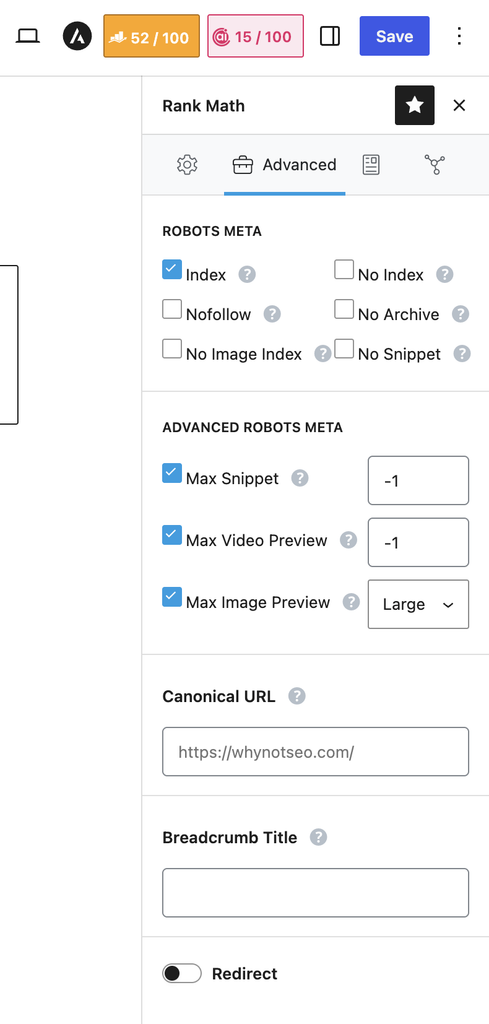
Also check your SEO plugin settings.
Sometimes the answer is hiding in a setting you forgot existed.
Your website could basically be telling Google:
“Please don’t index this page.”
And then you wonder why Google isn’t indexing it.
Check robots.txt
Make sure important pages are not accidentally blocked from crawling.
Check redirects
Make sure the URL does not unexpectedly redirect to another page.
Check page accessibility
The page should load correctly for users and search engines.
Fix serious server errors and other technical problems that could prevent Google from processing the page properly.
Step 8: Build Authority Around Important Pages
Now let’s talk about backlinks.
If an important page has no internal links, no external references, and sits on a website with very few authority signals, it may be harder to establish its importance.
Relevant backlinks can help.
But don’t take this as permission to buy 300 random links from websites that look like they were built during the Stone Age.
Focus on relevant and legitimate links.
You can also build authority through topical coverage.
For example, if your main page targets:
Local SEO for Small Businesses
you can publish supporting content about:
- Local keyword research
- Google Business Profile
- Local citations
- Local link building
- Local SEO audits
- Local ranking factors
Then connect those pages with internal links.
This creates a stronger topical structure around your important page.
Step 9: Remove Pages That Don’t Need to Be Indexed
This step is easy to forget.
Sometimes the solution to an indexing problem is simply:
Don’t index the page.
Not every URL on your website needs to appear in Google.
Your site may contain:
- Empty categories
- Empty tags
- Internal search pages
- Filter URLs
- Temporary pages
- Duplicate pages
- Very thin pages
If a page does not provide meaningful value to searchers, ask whether it really needs to be indexed.
Your goal isn’t to collect indexed URLs like Pokémon.
Your goal is to get the right pages indexed.
Step 10: Submit the Page in URL Inspection
Finally, after improving the page, go back to Google Search Console.
Open the URL Inspection tool.
Enter the URL you want Google to process.
Review the indexing information.
If appropriate, click Request Indexing.
But remember:
Request Indexing is not a magic button.
If you request indexing without fixing the underlying problem, Google can crawl the page again and make the same decision.
It’s like submitting the same homework five times and hoping the teacher eventually gives you an A.
Instead, follow this process:
Improve the content → Add internal links → Fix on-page SEO → Check technical SEO → Request indexing → Monitor the page
Then give Google some time.
What If Google Still Doesn’t Index the Page?
Don’t panic.
Google does not guarantee that every page will be indexed.
If the page remains under “Crawled – Currently Not Indexed,” review it again.
Ask yourself:
- Is the page actually useful?
- Does it provide something unique?
- Does it satisfy search intent?
- Is another page covering the same topic?
- Does it have strong internal links?
- Is the canonical correct?
- Is the page accessible?
- Does the page really need to be indexed?
If the page is valuable, keep improving it and monitor the results.
But if the page provides little value, you may not need to fight Google over it.
Sometimes Google is basically saying:
“We don’t think this page needs to be in the index.”
And sometimes Google is right.
Final Thoughts
Seeing “Crawled – Currently Not Indexed” in Google Search Console can be frustrating.
You created the page.
You optimized it.
Google crawled it.
And then Google left it sitting outside the index.
But don’t treat every unindexed URL as an emergency.
First, identify the pages that actually matter.
Then improve those pages.
Remove thin content.
Add useful and unique information.
Build strong internal links.
Improve your on-page SEO.
Fix duplicate pages.
Match search intent.
Check your technical SEO.
Build authority where it makes sense.
Then use the URL Inspection tool to request indexing.
Most importantly, stop thinking:
“How do I get every page indexed?”
Instead, ask:
“How do I make my important pages worth indexing?”
That’s the mindset that makes solving “Crawled – Currently Not Indexed” much easier.