If you’re tired of burning hundreds of dollars every month on expensive keyword research tools, those days might be gone after reading this article.
You don’t always need an expensive SEO tool to find great keyword ideas.
In fact, some of the best keyword opportunities can come directly from Google.
Other free tools can help you discover questions, long-tail keywords, related searches, and trending topics without spending a penny.
In this guide, I’ll show you 10 free keyword research tools and methods that you can use to find new keyword ideas.
Let’s dive in.
Table of Contents
1. Google Search Console
Google Search Console is one of my favorite places to find new keyword ideas.
Why?
Because it shows you the actual search queries that are already bringing impressions and clicks to your website.
When a page starts ranking for several closely related keywords, you may notice that it also gets impressions for keywords you never intentionally targeted.
That’s where the opportunity is.
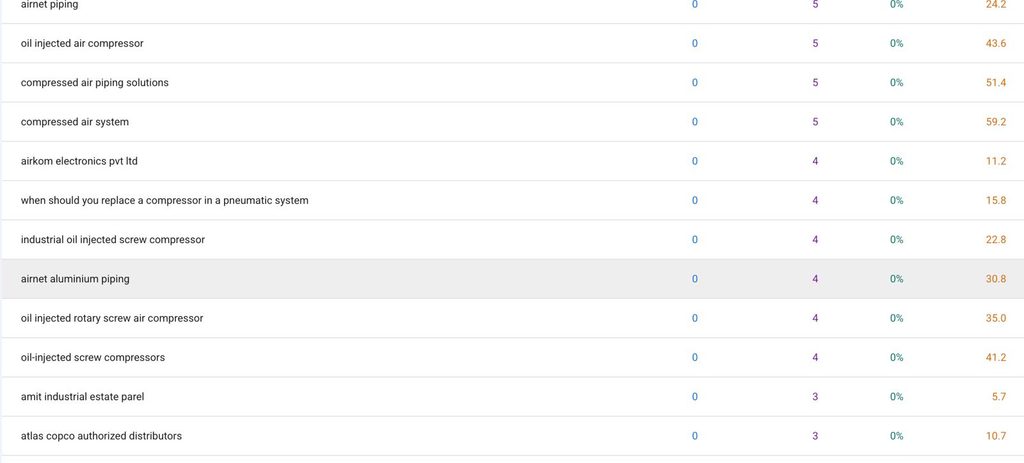
For example, while working on a client’s air compressor website, I found several closely related search terms that we had not planned for.
So, I went through the site’s Search Console data and discovered new keyword ideas that we could use for future content.
This is one reason I always recommend checking Search Console before opening an expensive keyword research tool.
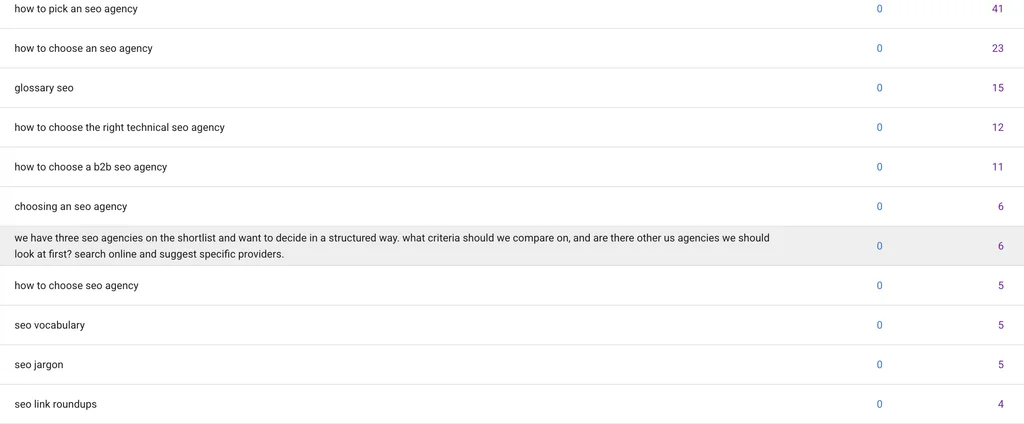
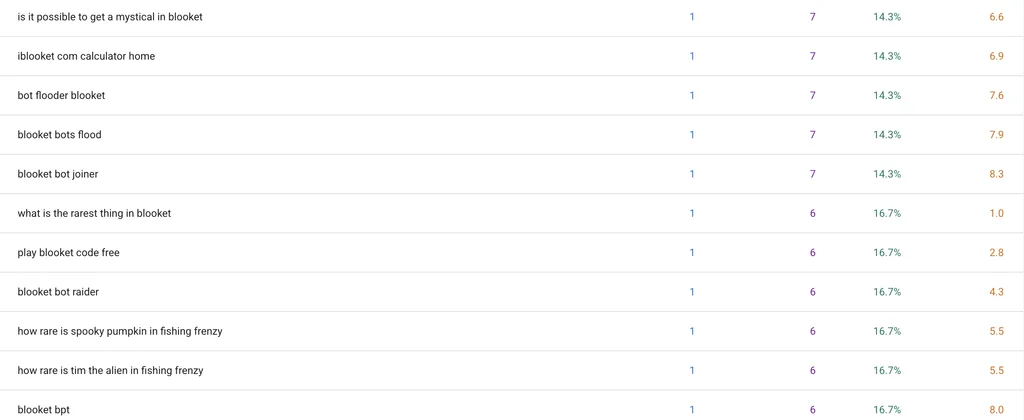
And there are lot’s of example on how many new keywords I have discovered.
2. Google People Also Ask
Next up is Google’s People Also Ask section.
This isn’t some third-party SEO database. It’s a feature built directly into Google Search.
Search for almost any topic and you’ll often see a group of questions under the People Also Ask section.
These questions can be extremely useful for finding long-tail keywords and content ideas.
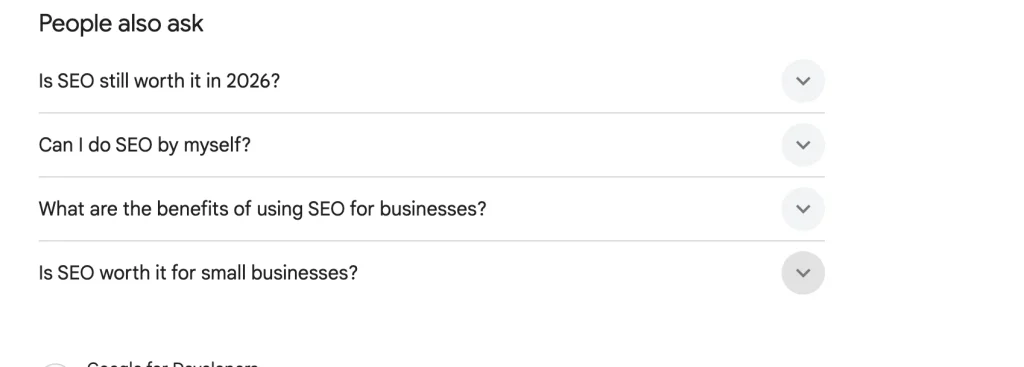
For example, if you’re researching “Why SEO is important for business,” Google might show questions related to it.
And here’s another trick.
Click one of the questions and Google will usually load more questions.
Keep clicking, and you can continue expanding the list.
You can find a surprising number of related questions this way.
3. Google “People Also Search For”
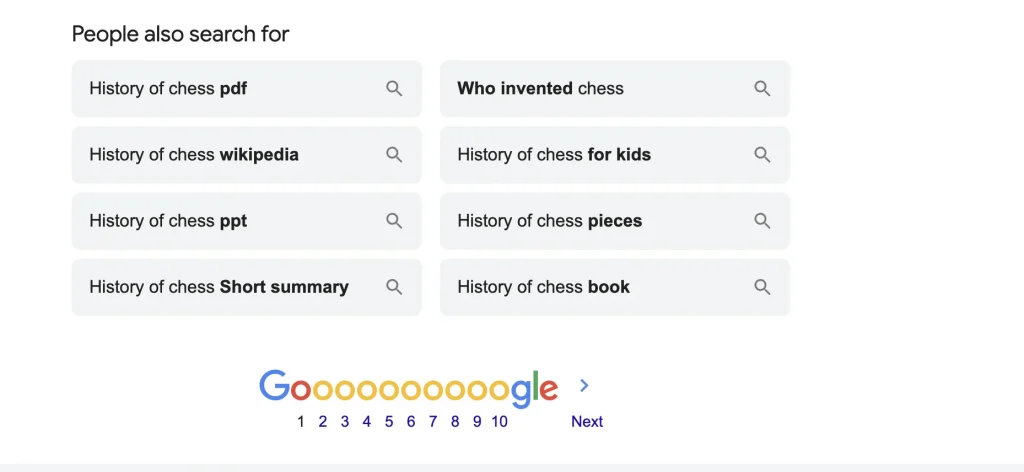
Google gives you another useful keyword source at the bottom of its search results.
It’s called People Also Search For.
Search for your target keyword and scroll toward the bottom of the results page.
You’ll usually find several related searches.
These are often shorter keywords closely related to the original query.
And you can take this one step further.
Click one of the suggested searches, scroll to the bottom of that new Google result, and look at the People Also Search For section again.
You can repeat this process over and over.
With enough digging, you can build a huge list of related keywords without using a premium SEO platform.
4. Ahrefs SEO Toolbar
Okay, I know what you’re thinking.
“Didn’t you just say you don’t need Ahrefs?”
Yes.
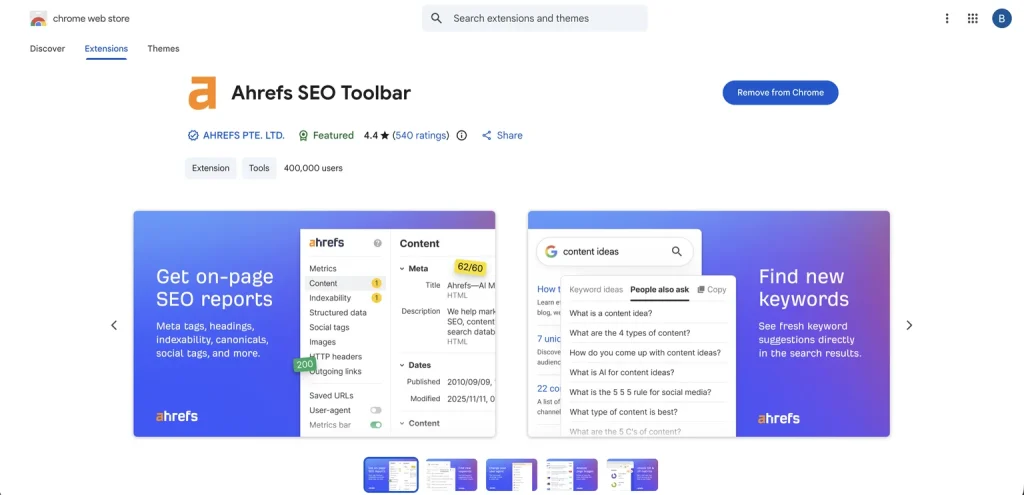
But there’s a difference between paying for a full Ahrefs subscription and using its free browser extension.
The Ahrefs SEO Toolbar can help you discover keyword ideas directly from Google.
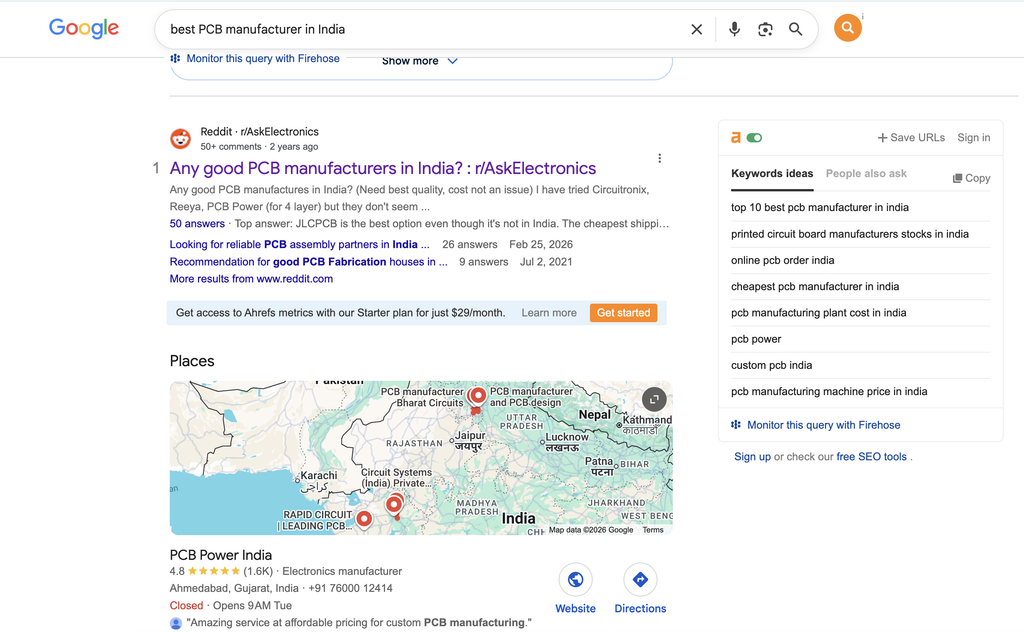
For example, search for something like:
“best PCB manufacturer in India”
or
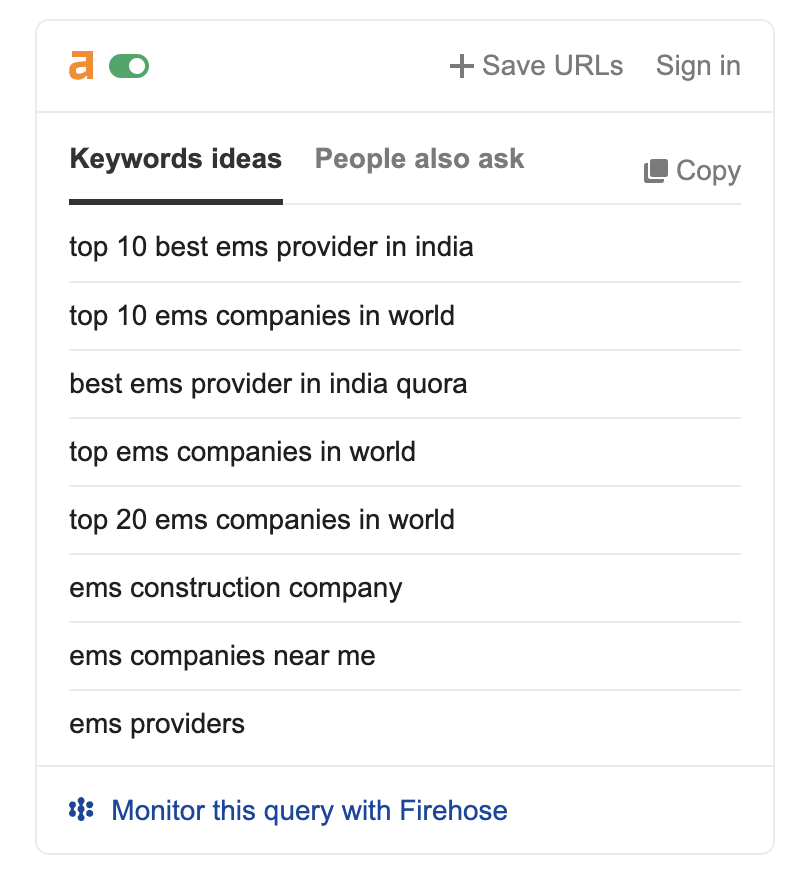
“best EMS provider in India”
The toolbar can show keyword suggestions in a sidebar on the right side of Google.
You can find short-tail keyword ideas and switch to another menu to explore long-tail keywords and questions.
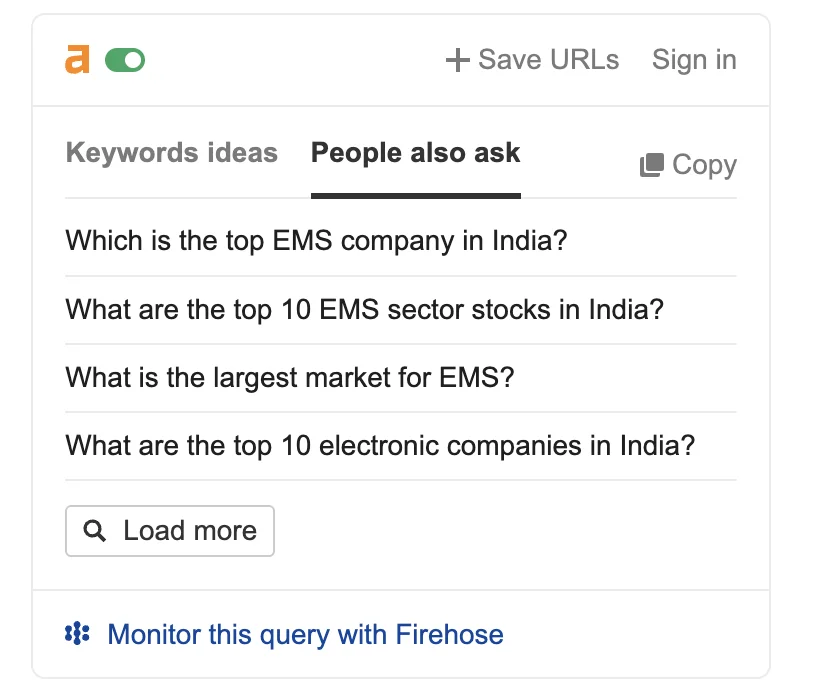
I wouldn’t use this as my only keyword research method.
But when I’m already searching Google and want to quickly expand my keyword list, it’s pretty useful.
5. AlsoAsked.com
Now let’s move to a dedicated tool for question-based keyword research.
AlsoAsked.com helps you find questions related to a keyword and organizes them into topics and subtopics.
Just enter a keyword and the tool generates related queries that people may be searching for.
For example, enter something like:
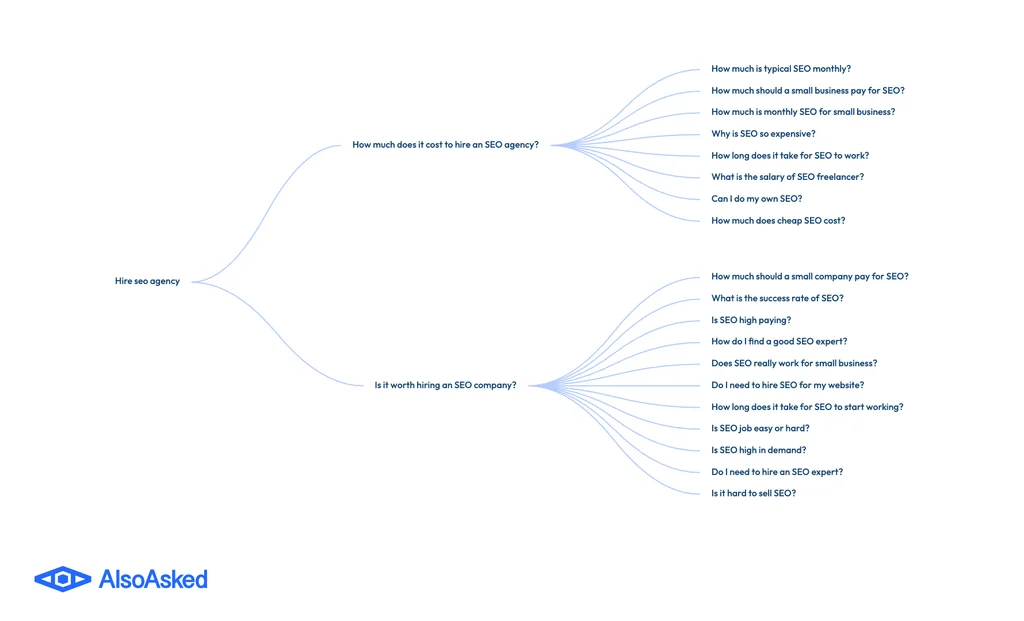
“hire SEO agency”
You can then discover related questions and follow-up queries around that topic.
This can be useful when you’re planning blog posts, FAQs, or an entire content cluster.
Instead of guessing what questions people might have, you can use the tool to quickly generate a list of potential topics.
6. Google Autocomplete
Google Autocomplete is one of the simplest keyword research methods on this list.
And it’s completely free.
Start typing your keyword into Google and look at the suggestions that appear.
For example, type:
“SEO agency for…”
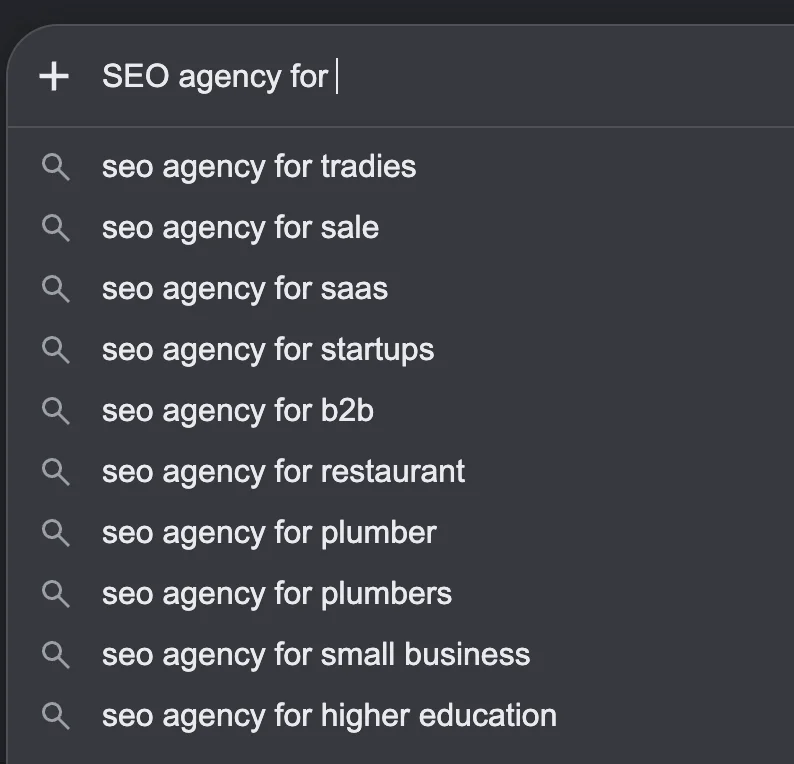
Google may automatically suggest several ways people continue that search.
You can also try different letters after your keyword to uncover more ideas.
One important tip: use an incognito window when doing this.
If you’re logged into Google or using a highly personalized browser, some suggestions may be influenced by your search and browsing history.
Incognito mode can help reduce that personalization and give you a cleaner set of suggestions.
It takes a few seconds, but it can uncover some surprisingly useful long-tail keywords.
7. Google Trends
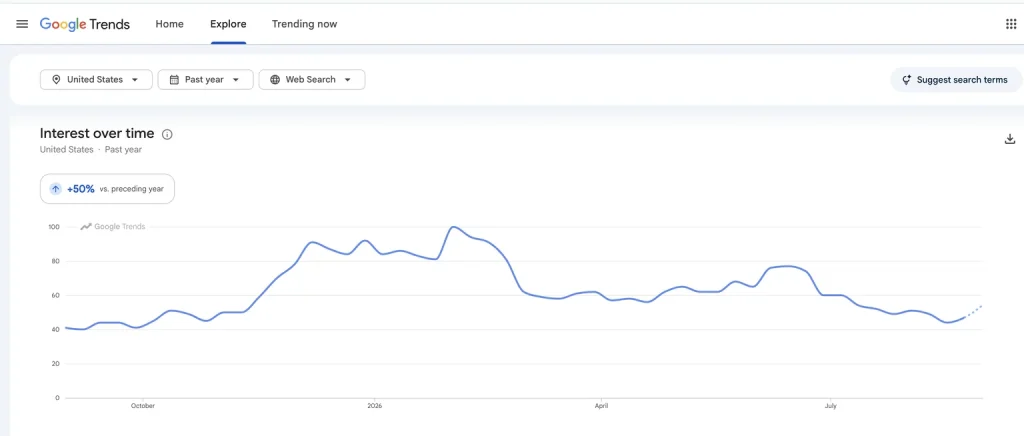
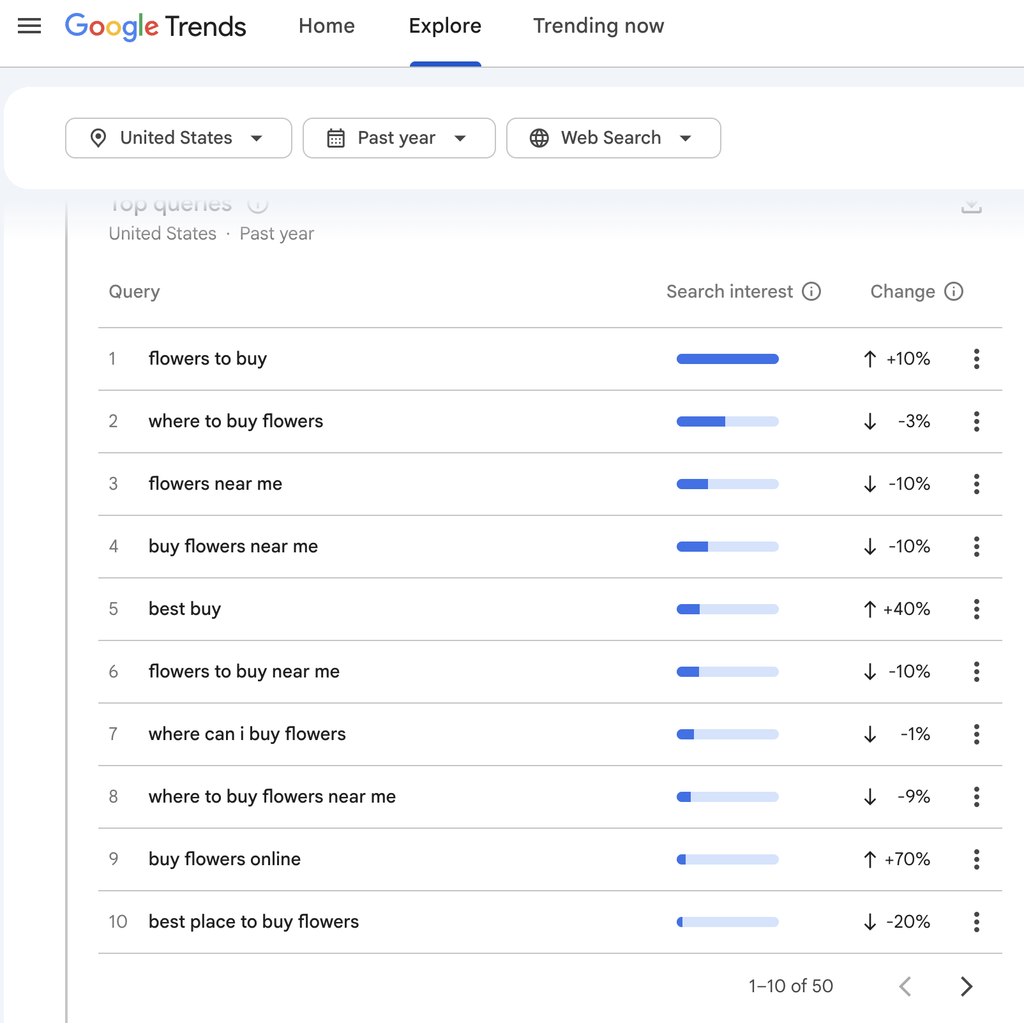
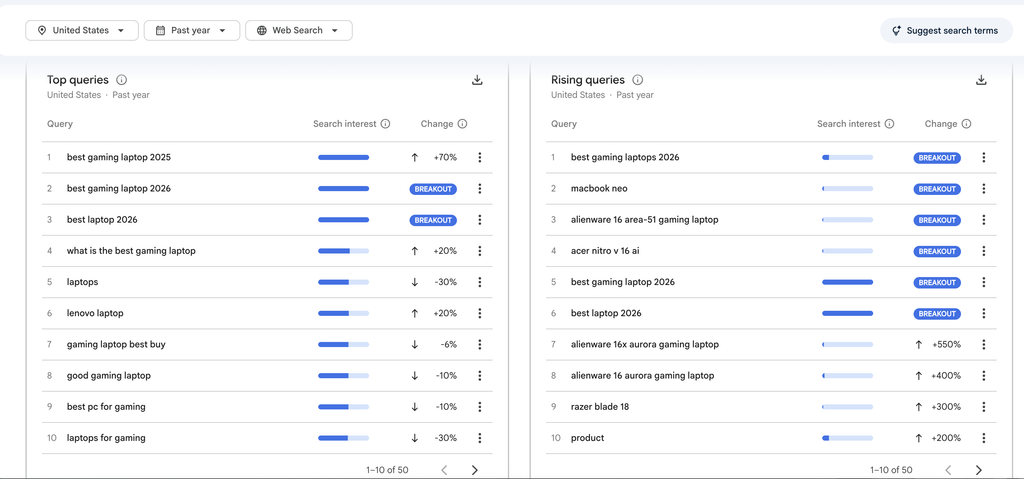
Finding keywords is useful.
Finding keywords that are actually growing can be even more useful.
That’s where Google Trends comes in.
Google Trends lets you compare the popularity of search terms over time.
For example, if you’re deciding between two similar keywords, you can put both into Google Trends and compare their search interest.
You can also check related and rising queries to find topics that are gaining attention.
This is especially useful for seasonal topics, emerging trends, products, and industries that change quickly.
I like using Google Trends as an extra check before finalizing a content plan.
8. AnswerThePublic
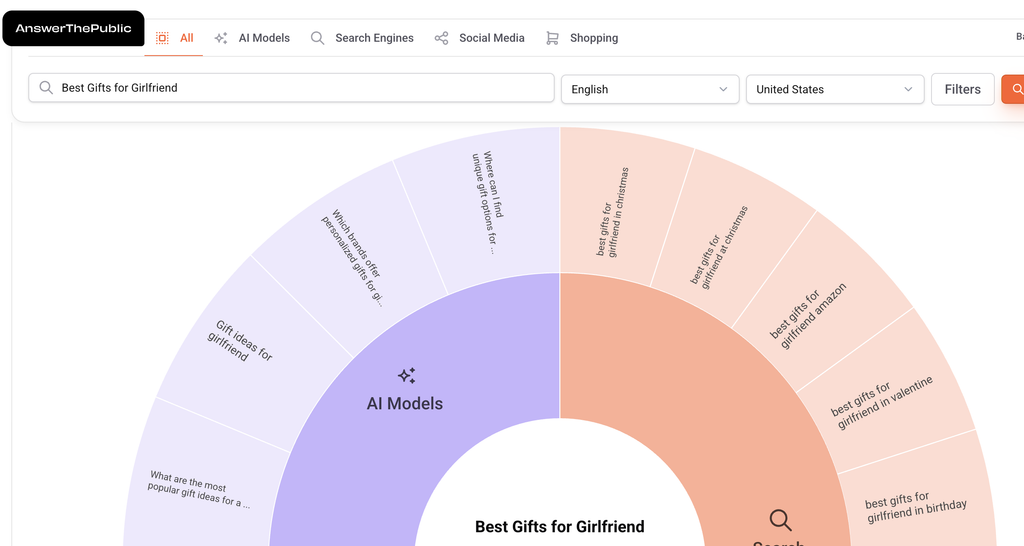
Another useful option is AnswerThePublic.
Instead of simply giving you a list of keywords, it focuses heavily on questions and phrases people use around a topic.
Enter a keyword and you can discover different types of queries around it.
This can help you find:
- Question keywords
- Long-tail queries
- Related topics
- Content ideas
- Subtopics
It’s particularly useful when you’re trying to move beyond one main keyword and build content around an entire topic.
Note: It gives only 3 free searches a day which might be enough for you.
9. Google Keyword Planner
You might know Google Keyword Planner as an advertising tool.
But it can also be useful for SEO keyword research.
Enter a seed keyword and Google can provide related keyword ideas along with search volume ranges and other information.
The biggest advantage is that you’re getting keyword data from Google’s advertising ecosystem rather than relying entirely on a third-party SEO database.
It isn’t a replacement for every premium SEO feature.
But if your goal is simply to find new keyword ideas, it’s a great free place to start.
10. Bing Webmaster Tools
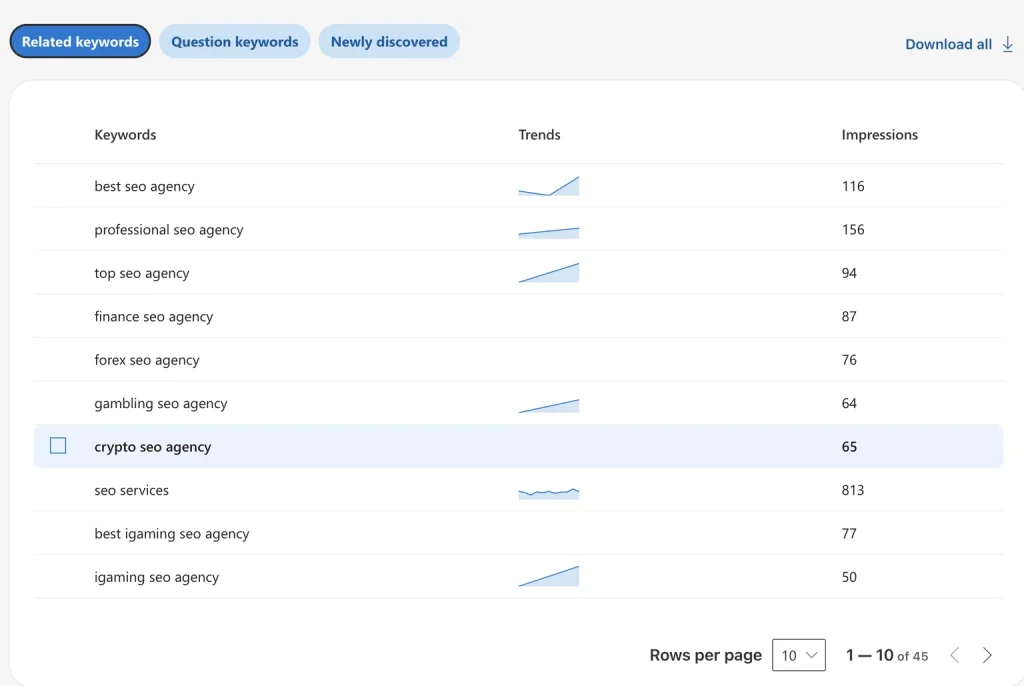
Last but not least, we have Bing Webmaster Tools.
Most SEO professionals spend most of their time looking at Google.
And that’s understandable.
But Bing also provides useful keyword research data through its Webmaster Tools.
You can use it to discover keyword ideas and filter results based on factors such as country and language.
Bing has a much smaller search market share than Google, so I wouldn’t make it my primary keyword research source.
But that’s not really the point.
The goal is to find additional keyword opportunities.
Sometimes another search engine can surface ideas you didn’t notice elsewhere.
So before finalizing your keyword list, it’s worth taking a quick look.
Final Thoughts
You don’t need to spend hundreds of dollars every month just to find keyword ideas.
That’s probably the biggest takeaway from this list.
Tools like Ahrefs and Semrush are incredibly powerful. They can provide competitor research, backlink data, ranking information, keyword metrics, and many other advanced features.
But if your immediate goal is simply to find new keywords and content ideas, you have plenty of free options.
Start with Google Search Console.
Then check People Also Ask, People Also Search For, Google Autocomplete, and Google Trends.
Add tools like PeopleAlsoAsk.com, AnswerThePublic, Google Keyword Planner, and Bing Webmaster Tools to expand your research even further.
The trick isn’t finding one perfect keyword research tool.
It’s combining different sources and looking for patterns.
And once you start doing that, you might realize you don’t need to open Ahrefs or Semrush every single time you want a new keyword idea.
I’ve been using paid SEO tools for a while, but this article reminded me that Google itself can provide some really valuable keyword ideas. I especially liked the focus on long-tail keywords and finding questions people actually search for. Some of these methods are simple but easy to overlook. Definitely worth trying before spending money on another expensive SEO subscription.
Thanks, Retrine, for your comment. Yeah, Google is an SEO tool package itself if you use it properly.