Most websites have internal links.
But many websites use them badly.
They add a few links whenever they publish a new article. They link to the homepage from the logo. They add “related posts” at the bottom of blog posts.
Which results in passing 0 authority.
And it doesnt move the needle in SEO.
Now, you might be thinking why should I care so much about these internal links ?
Internal search engines understand your website, discover pages, understand the relationship between topics, and distribute internal authority across your site.
When you build the structure correctly, internal linking can help your important pages perform much better.
In this guide, I’ll show you exactly how to build an internal linking structure that can make a measurable difference.
Table of Contents
What Is Internal Linking?

An internal link is a link from one page on your website to another page on the same website.
Let’s say you have a website about SEO.
You publish an article about keyword research tools.
Inside that article, you link to your guide about search intent.
That is an internal link.
The basic structure looks like this:
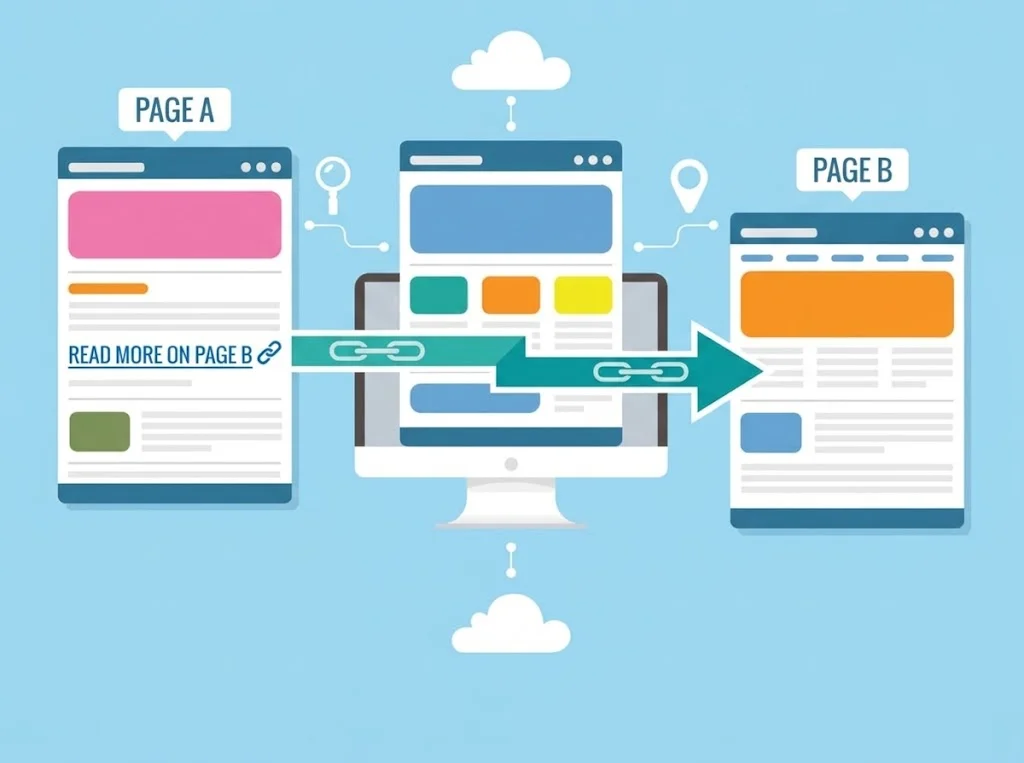
Page A → Page B
The important part is not simply having the link.
It is deciding:
- Which page should link?
- Which page should receive the link?
- What anchor text should you use?
- Where should the link appear?
- How important is the destination page?
- How many internal links should the page receive?
That is where internal linking becomes an SEO strategy.
Why Internal Links Matter for SEO
Internal links can help your website in several ways.
1. They help search engines discover pages
Search engines use links to discover and crawl URLs.
If an important page has no internal links pointing to it, search engines may have a harder time discovering or understanding its importance.
This is especially important for large websites.
2. They help search engines understand relationships
Internal links connect related pages.
For example:
SEO
→ Technical SEO
→ Keyword Research
→ Internal Linking
→ Link Building
→ On-Page SEO
This creates a relationship between the pages.
Search engines can use these connections as additional context about your website’s content.
3. They distribute internal authority
Some pages naturally collect more external backlinks than others.
Your homepage may have hundreds of backlinks.
Your new blog post may have zero.
Internal links can help distribute some of the value and importance of stronger pages to other pages on your website.
This is one reason internal linking can be especially useful for important commercial pages.
4. They improve navigation
Internal links also help users find useful information.
A visitor reading an article about keyword research might want to learn about search intent next.
A relevant internal link makes that next step easy.
That can create a better user experience while also helping search engines understand your site’s structure.
The Biggest Internal Linking Mistake
Here is the mistake I see most often:
People link pages together randomly.
They publish an article.
Then they add three internal links wherever they can.
That’s not a strategy.
A good internal linking system starts with your most important pages.
Before adding links, decide which URLs actually matter to your business.
These might include:
- Service pages
- Product pages
- Category pages
- Location pages
- Money pages
- Important guides
- Lead-generation pages
Let’s call these your target pages.
Your goal is to build a system that sends relevant internal links toward these pages.
Step 1: Find Your Most Important Pages
You don’t want every page on your website to receive the same amount of internal linking attention.
Start by creating a list of your most important URLs.
For an SEO agency, it might look like this:
| Page | Priority |
|---|---|
| SEO Services | High |
| Local SEO Services | High |
| Technical SEO Services | High |
| Keyword Research Guide | Medium |
| SEO Audit Guide | Medium |
| Blog Posts | Low |
The exact structure depends on your website.
The key is to identify the pages that can generate the most business, traffic, or strategic value.
These are the pages you want to strengthen.
Step 2: Build Topic Clusters
One of the most effective ways to improve internal linking is to organize your content into topics.
Instead of publishing 50 unrelated articles, build groups of closely related pages.
For example:
Main topic: Internal Linking
Supporting articles:
- What is internal linking?
- Internal linking best practices
- Internal linking audit
- Internal linking tools
- How many internal links should a page have?
- Common internal linking mistakes
These pages can link to each other where relevant.
They can also link to a central page about internal linking.
This creates a clear topical structure.
How do you create a topic cluster ?
Here is how to do it:
Step 1: Head to the alsoasked.com tool
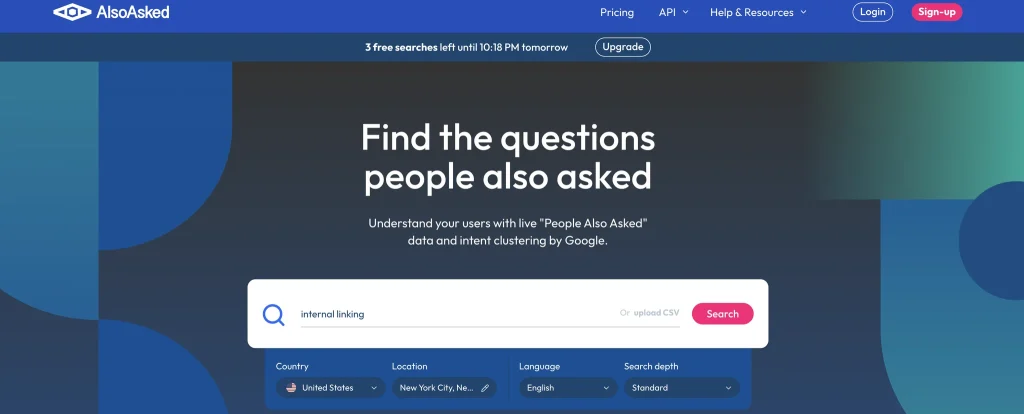
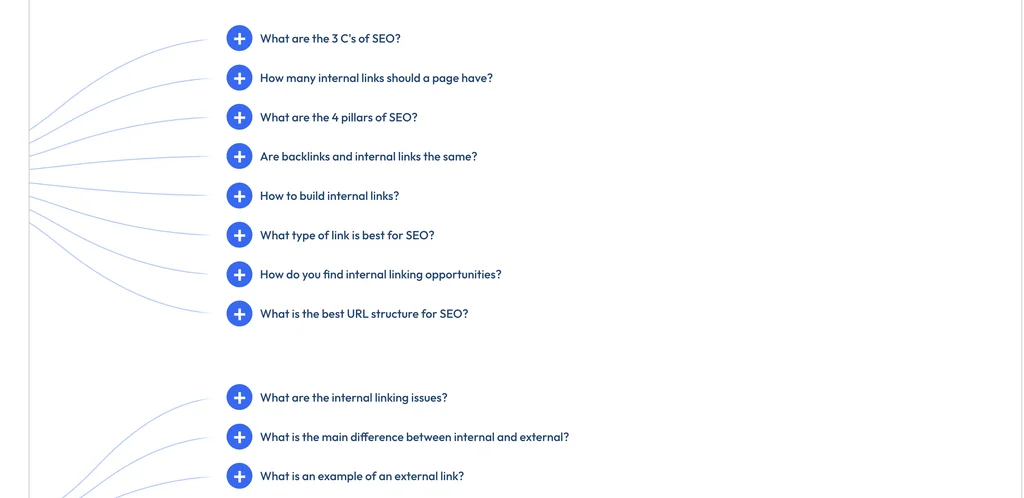
Step 2: Enter the keyword: For example I wanted to create a keyword cluster about “Internal Linking”
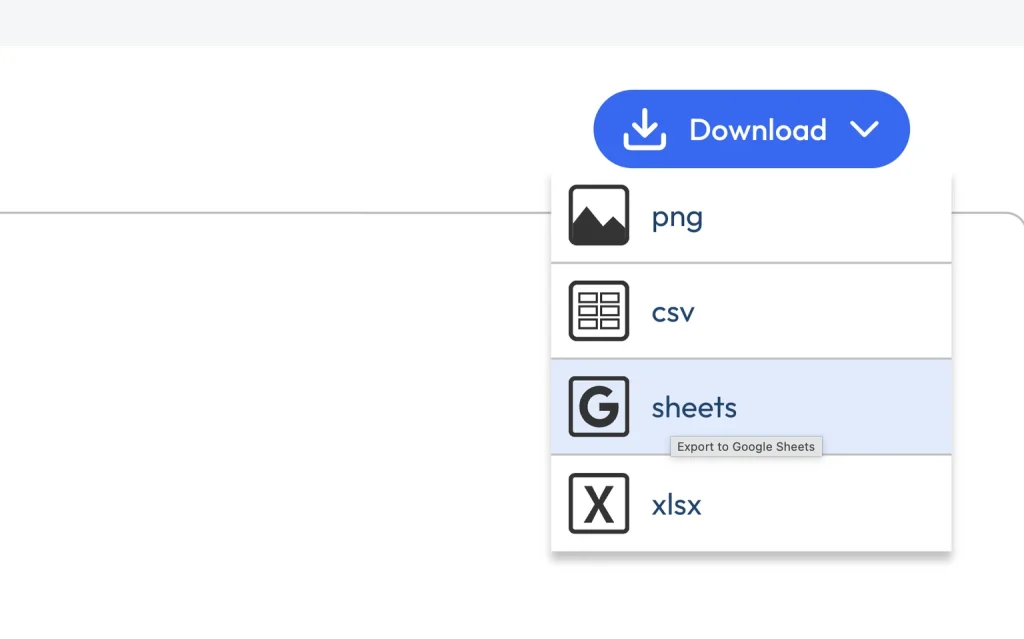
Step 3: Import the keywords in Google Sheets or download the pages.
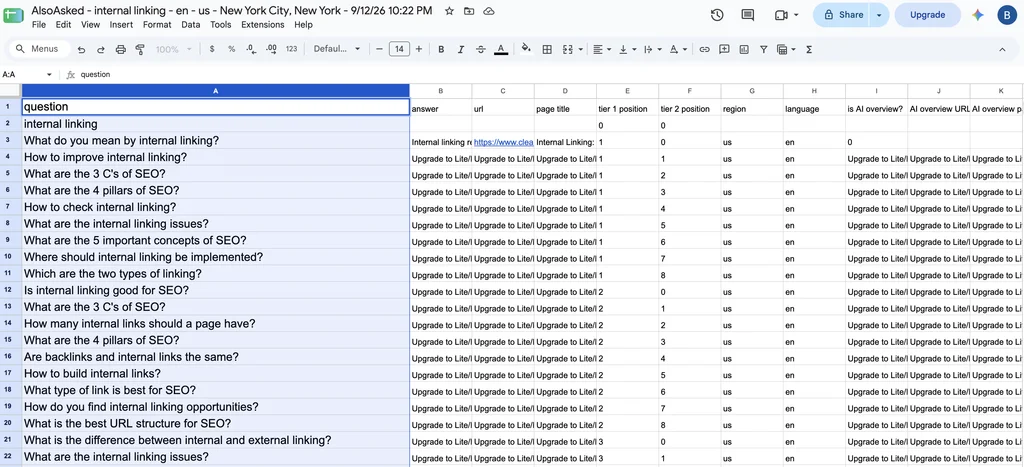
Now, you have the related keywords or questions on same topic.
Step 3: Find Pages That Already Have Authority
This is where internal linking gets interesting.
You probably already have pages on your website that have accumulated external backlinks.
Those pages can become internal-link sources.
For example:
Page A
100 referring domains
↓
Page B
5 referring domains
If Page A is relevant to Page B, adding a contextual internal link from Page A to Page B can be useful.
You are essentially creating a path between an established page and a page that needs more support.
How to Find These Pages
Use a backlink analysis tool such as Ahrefs.
Look at the pages on your website with the most referring domains.
Then ask:
“Which important pages could this page naturally link to?”
Don’t add links just because the source page is powerful.
Relevance still matters.
A page about email marketing should not randomly link to a page about industrial machinery simply because the first page has lots of backlinks.
Step 4: Find Your Orphan Pages
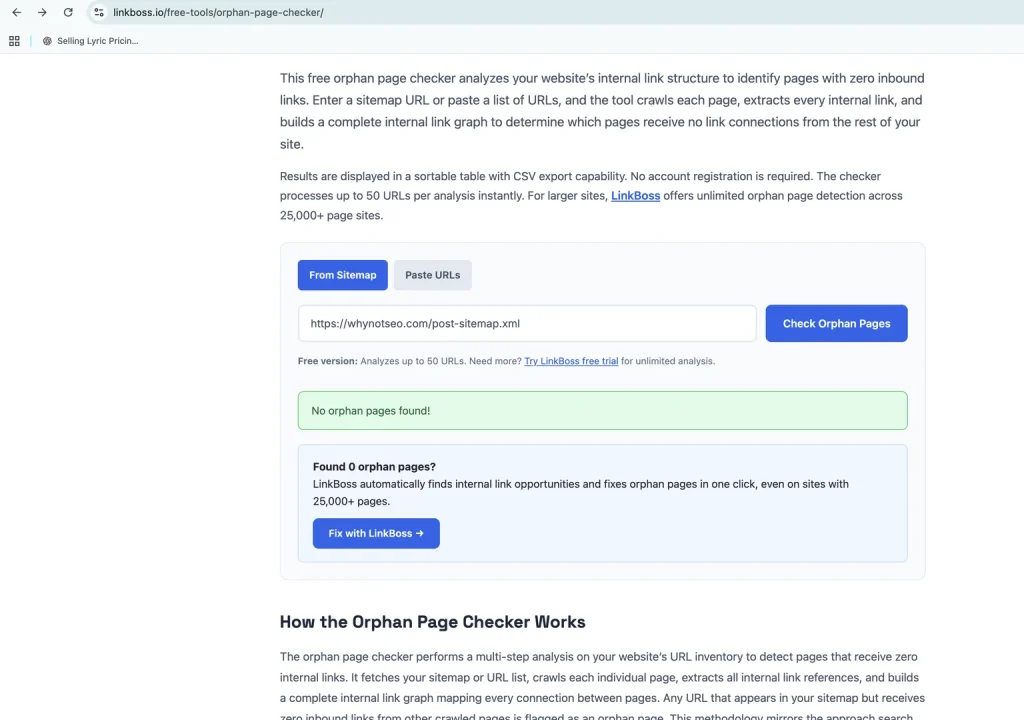
You can use link boss for checking them.
An orphan page is a page that has no internal links pointing to it.
These pages are a major problem.
Let’s say you have published the most important money page on your website.
The URL exists.
But your website barely references it.
That’s a weak internal signal.
You should regularly look for pages with zero internal links.
SEO crawling tools can help you identify them.
Once you find an orphan page, ask:
“Where should this page be connected?”
Then add relevant contextual links from existing pages.
Step 5: Use Contextual Internal Links
Not all internal links are equally useful from a strategic perspective.
A link inside relevant content usually provides much more context than a random link sitting in a footer.
Compare these two examples.
Example 1
Looking for SEO services? Click here.
Example 2
A technical SEO audit can help identify crawlability, indexing, and site architecture problems before they affect organic performance.
The second example gives much more context about the destination.
This doesn’t mean every internal link needs to contain an exact-match keyword.
It means the surrounding content should make the relationship between the two pages clear.
Step 6: Write Natural Anchor Text
Anchor text is the clickable text of a link.
For example:
Learn more about technical SEO audits.
“Technical SEO audits” is the anchor text.
Your anchor text should tell users what they can expect after clicking.
Good examples:
- technical SEO audit
- keyword research guide
- local SEO strategy
- ecommerce SEO checklist
- search intent
Avoid turning every internal link into an exact-match keyword.
For example, if you have 100 links pointing to a page, you don’t need every anchor to be identical.
Natural variations can make your internal linking profile easier to understand.
Step 7: Add Links From Your Strongest Relevant Pages
Here’s a simple internal linking tactic that can produce quick wins.
Find pages that already perform well.
Then look for important pages that those articles could naturally reference.
For example:
Your website has an article ranking #3 for:
“How to do keyword research”
You also have a service page for:
Keyword Research Services
If the article discusses professional keyword research, adding a contextual link to the service page can make sense.
Now you have:
High-performing page → Important commercial page
Repeat this process across your website.
You may find dozens of opportunities that already exist.
Step 8: Strengthen Pages That Are Close to Ranking
This is one of my favorite internal-linking opportunities.
Look at your Google Search Console data.
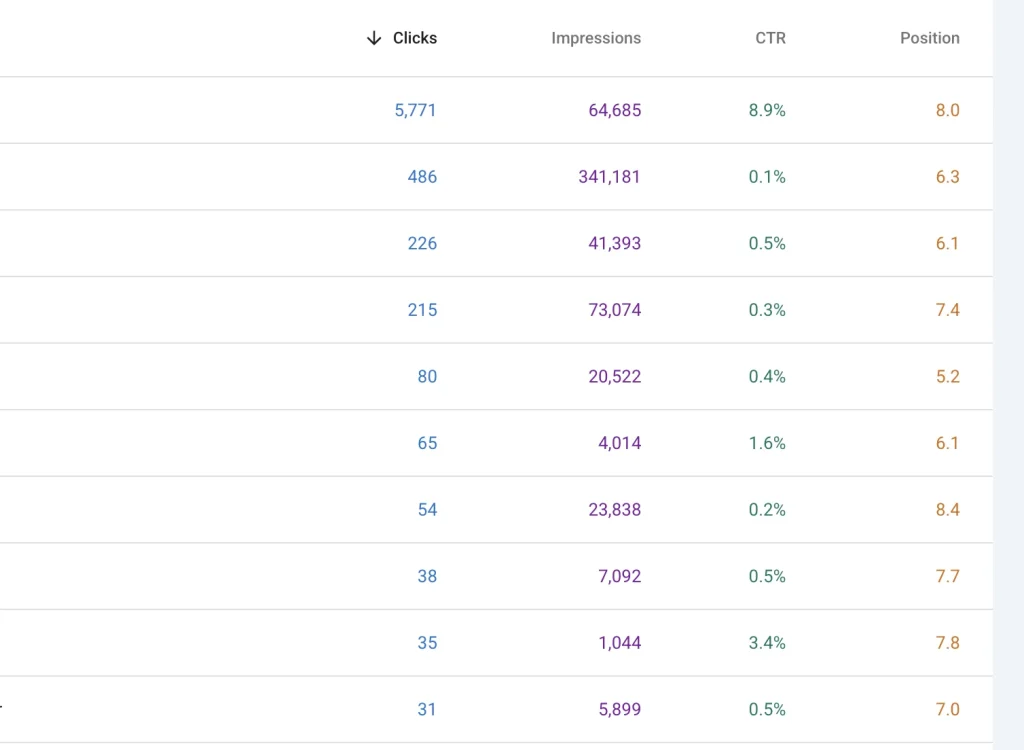
Find pages ranking around positions 5 to 20 for valuable keywords.
These pages are already showing Google that they deserve visibility.
Instead of immediately creating another article, try strengthening the existing page.
One part of that process can be internal linking.
Find relevant pages on your website and add contextual internal links to the page that is close to breaking into the top results.
For example:
Current position: 11
↓
Add relevant internal links
↓
Improve content where necessary
↓
Build external authority where necessary
↓
Monitor rankings
Internal links won’t magically move every page from position 11 to position 1.
But they can be an important part of a broader SEO strategy.
Step 9: Don’t Forget Your Old Content
Most websites focus on adding links to new articles.
They forget about the hundreds of older articles already sitting on the website.
Your old content can contain valuable internal-link opportunities.
Suppose you recently published:
How to Create an SEO Content Strategy
You might have 30 older articles that discuss:
- Content planning
- Keyword research
- Search intent
- Topic clusters
- Content briefs
- SEO writing
Go back to those pages.
Find relevant sections.
Add links to the new guide.
Now your new article doesn’t have to wait months before your website starts referencing it.
Step 10: Add Internal Links When You Publish
Don’t treat internal linking as something you do six months after publishing.
Make it part of your publishing process.
Before publishing an article, ask:
Which existing pages should this article link to?
Then ask:
Which existing pages should link to this new article?
This second question is often forgotten.
After publishing, search your website for older articles that are relevant to the new page.
Add links from those articles.
You now have links going in both directions.
Existing content → New content
and
New content → Existing content
Step 11: Create a Logical Site Hierarchy
Internal links should support your website architecture.
A simple structure might look like this:
Homepage
↓
Service Category
↓
Individual Service
↓
Supporting Content
For an ecommerce website, it could look like:
Homepage
↓
Category
↓
Subcategory
↓
Product
This structure helps users and search engines understand how the website is organized.
Don’t create a flat website where hundreds of pages randomly link to each other.
Create relationships that make sense.
Step 12: Link to Your Important Pages From Relevant Content
Let’s say you have a local SEO agency.
Your important page is:
Local SEO Services
You publish these articles:
- How Google Maps rankings work
- Local keyword research
- Google Business Profile optimization
- Local citations
- Local SEO for restaurants
Each article may have opportunities to reference your Local SEO Services page.
You could build a structure like:
Local SEO Guide
↓ ↓ ↓
Google Maps Rankings → Local SEO Services ← Local Keyword Research
This creates multiple relevant paths toward the commercial page.
Step 13: Fix Pages With Too Few Internal Links
Orphan pages are not the only problem.
Some pages technically have internal links but still receive very little internal attention.
For example:
Important service page
Only 1 internal link
Meanwhile:
Random blog post
35 internal links
That’s not necessarily a good distribution.
Your internal-link structure should reflect your site’s priorities.
Important pages should usually have strong connections from relevant parts of the site.
Step 14: Don’t Overdo Internal Links
More internal links do not automatically mean better SEO.
If every sentence contains a link, the page becomes difficult to read.
For example:
SEO is important for businesses because SEO can increase traffic and SEO can improve visibility, so our SEO services can help businesses with SEO.
That’s terrible for users.
Instead, add links when they genuinely help the reader.
A good question to ask is:
“Would a reader actually want to click this?”
If the answer is no, you probably don’t need the link.
Step 15: Use Navigation Links Strategically
Contextual links aren’t the only internal links that matter.
Your main navigation is also important.
Your most important pages should generally be easy to reach.
For example:
Home | Services | About | Case Studies | Blog | Contact
Under Services:
- SEO Services
- Local SEO
- Technical SEO
- Ecommerce SEO
This creates clear paths to important pages.
However, don’t turn your navigation into a giant list of every URL on your website.
Keep it useful.
Final Thoughts
Internal linking is one of those SEO tasks that looks simple until you actually build a large website.
The goal isn’t to get more internal links.
The goal is to build better connections between the right pages.
Start with your most important URLs.
Find your strongest relevant pages.
Connect related content.
Fix orphan pages.
Strengthen pages that are already close to ranking.
And keep improving the structure as your website grows.
When you treat internal linking as part of your site’s architecture instead of something you do at the end of a blog post, it becomes much more powerful.