By the end of this guide, you’ll understand what SEO is, how it works, why it matters, and how to actually start doing it.
Let’s get into it.
Table of Contents
What Is SEO, Really?
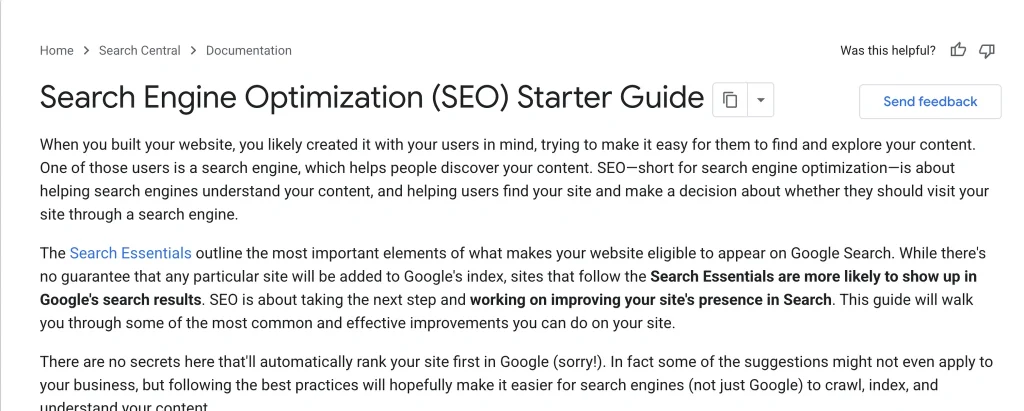
SEO stands for Search Engine Optimization and it’s the process of making your website easy for Google (and other search engines) to find, understand, and recommend to people searching for things you can help with.
That’s the whole concept.
Let’s say you own a bakery then, SEO is the process of:
- Making sure Google knows your bakery exists
- Making sure Google understands what you sell (croissants, custom cakes, whatever)
- Making sure Google trusts you enough to recommend you over the bakery three blocks down
Do that well, and when someone types “best croissants near me,” you show up. Do it badly or not at all and you’re invisible, no matter how good your croissants actually are.
Websites work the same way. Nobody cares how good your product is if nobody can find it.
Why Should You Actually Care About SEO?
Paid ads stop working the second you stop paying. SEO keeps working long after you’ve done the work.
Write one genuinely useful article today, and it can bring you visitors for years. That’s not an exaggeration it’s just how search works. Google doesn’t forget your page exists just because you stopped actively promoting it.
A few reasons SEO is worth your time:
It’s where people actually start. Before people buy something, book something, or trust a business, most of them search first. Not scroll social media. Search.
It builds compounding value. Every article, every page, every backlink adds to your site’s authority. Unlike ads, this doesn’t reset to zero when your budget runs out.
It’s (mostly) free traffic. You’re not paying per click. You’re paying with time and effort upfront, and then reaping the benefit for a long time after.
It targets intent, not just attention. Someone searching “how to fix a leaky faucet” wants a solution right now. That’s a completely different mindset than someone scrolling past an ad while watching cat videos.
None of this means SEO is easy or instant. It’s not. But it’s one of the few marketing channels where the effort you put in today keeps paying you back next year.
How Do Search Engines Actually Work?
Before you can “do SEO,” you need to understand what Google is actually doing behind the scenes. It comes down to three steps.
Step 1: Crawling
Google uses automated programs called crawlers (or “spiders” same thing, less creepy name optional) that constantly roam the internet, jumping from link to link, discovering pages.
Think of a crawler like a very persistent librarian who never sleeps, constantly walking through every hallway of a giant, ever-expanding library, taking notes on every book it finds.
If your page has no links pointing to it, and it’s not in a sitemap, the crawler might never find it. It’s like writing a book and hiding it in a drawer technically it exists, but nobody’s finding it by accident.
Step 2: Indexing
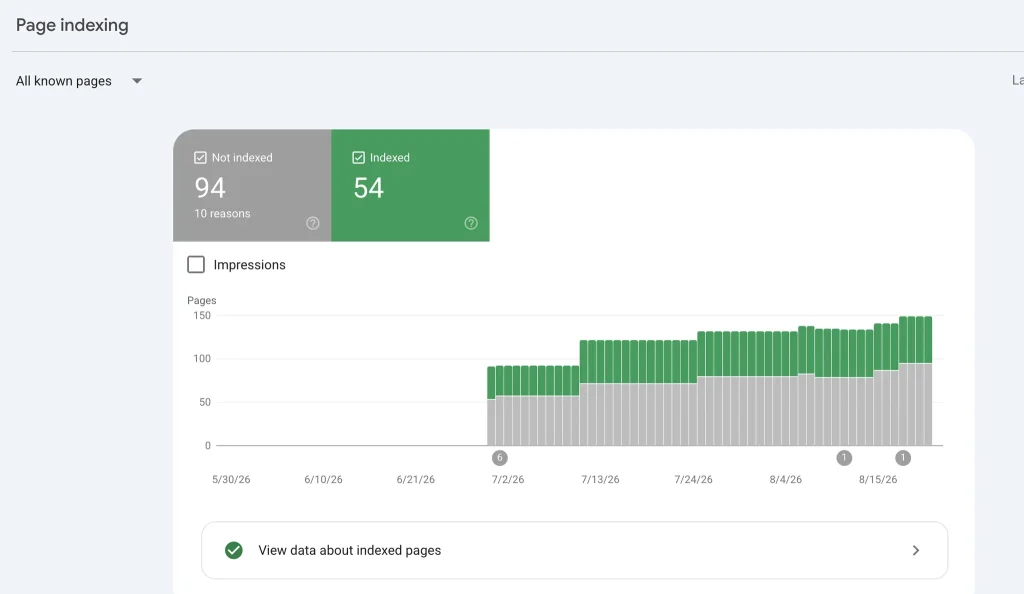
Once a crawler finds a page, Google tries to understand what it’s about the topic, the content, the images, even things like page structure and load speed. This information gets stored in Google’s massive database, called the index.
If crawling is finding the book, indexing is reading it, cataloging it, and figuring out which shelf it belongs on.
Here’s something a lot of beginners don’t realize: being crawled doesn’t guarantee you’ll be indexed. Google might crawl your page and decide it’s too thin, too duplicate, or too low-quality to bother storing. That’s a real problem, and it’s one of the first things a technical SEO audit checks for.
Step 3: Ranking
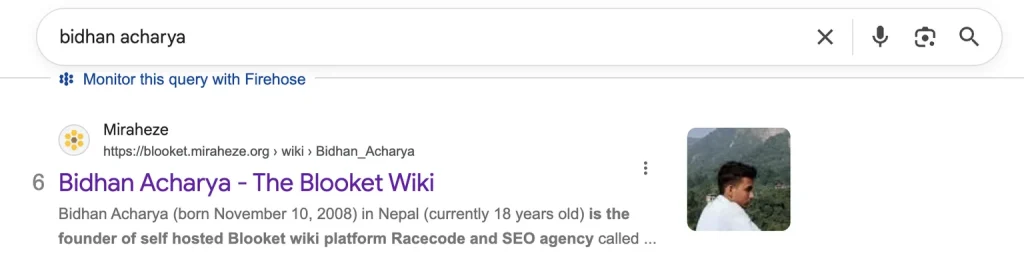
This is the part everyone actually cares about. When someone types a search query, Google digs through its index and tries to serve up the most relevant, trustworthy, useful results instantly.
How does it decide what’s “best”? This is where things get complicated, because Google uses hundreds of ranking factors. Nobody outside Google knows the full list, and it changes constantly. But broadly, it comes down to:
- Relevance — Does this page actually answer the query?
- Quality — Is the content well-written, accurate, and genuinely useful?
- Authority — Do other trusted sites link to or reference this content?
- User experience — Does the page load fast, work on mobile, and avoid annoying the visitor?
- Trustworthiness — Is this a credible source, especially for topics that affect health, money, or safety?
You’ll often see this last group of factors referred to as E-E-A-T: Experience, Expertise, Authoritativeness, and Trustworthiness. It’s not a literal scoring system, but it’s a useful mental model for what Google is trying to reward.
The Three Pillars of SEO
Almost everything in SEO falls into one of three buckets. Understanding this framework will save you from getting lost in the hundreds of “SEO tips” floating around online.
1. On-Page SEO
This is everything you control directly on your own pages your content, your titles, your headers, your images, your internal links.
On-page SEO answers the question: does this page clearly communicate what it’s about, and does it actually deliver value to the person reading it?
2. Technical SEO
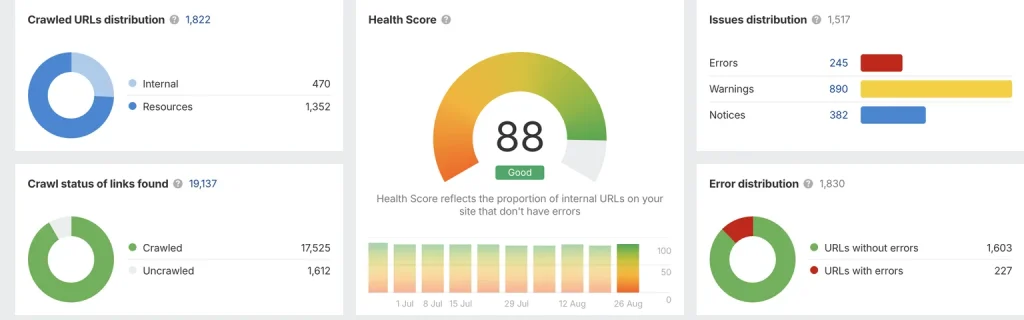
This is the behind-the-scenes plumbing. Site speed, mobile-friendliness, crawlability, site structure, secure connections (HTTPS), structured data the stuff that makes your site functional for both users and search engine crawlers.
You can have the best content in the world, but if your site takes 12 seconds to load or crawlers can’t access half your pages, none of it matters.
3. Off-Page SEO
This is what happens outside your website that still affects your rankings mainly backlinks (other websites linking to yours), brand mentions, and general reputation across the web.
Think of it as word-of-mouth for the internet. If a bunch of reputable sites link to your article, Google reads that as a vote of confidence: “other trusted sources think this content is worth pointing to.”
Let’s break each of these down further.
On-Page SEO
Keyword Research Comes First
Before you write a single word, you need to know what people are actually searching for. This is called keyword research, and skipping it is the single most common mistake beginners make.
Here’s why it matters: you could write the most beautifully crafted article on “innovative culinary techniques for artisan bread,” but if actual humans are searching “how to make sourdough at home,” you’ve just written for an audience of nobody.
Good keyword research means finding the exact phrases your audience types into Google, understanding the search intent behind those phrases (are they trying to learn something, buy something, or find a specific website?), and matching your content to that intent.
There are free tools to help here Google’s own Keyword Planner, Google Search Console (if you already have a site), and even just Google’s autocomplete and “People also ask” boxes are goldmines for real search behavior.
Title Tags and Meta Descriptions
Your title tag is the clickable headline that shows up in search results. It’s also one of the strongest signals Google uses to understand what your page is about.
Keep it clear, keep it honest, and put your main keyword near the front where possible. “10 Sourdough Bread Tips for Beginners” beats “Bread: A Journey” every time not because it’s clever, but because it tells both Google and humans exactly what they’re getting.
Your meta description is the short summary text below the title in search results. It doesn’t directly boost rankings, but it massively affects whether people actually click your result over someone else’s. Write it like a mini-pitch: what will the reader get if they click?
Headers (H1, H2, H3…)
Headers aren’t just for looks. They help both readers and search engines understand your content’s structure.
Your H1 should be your main title, used once. H2s break your article into major sections (like the ones in this guide). H3s break those sections into smaller subpoints when needed.
Skipping proper header structure like jamming your whole article into one giant paragraph with no breaks hurts both readability and SEO. Nobody wants to read a wall of text, and Google notices when people bounce off a page fast because it was hard to scan.
Content Quality (The Part People Try to Skip)
Here’s an uncomfortable truth: there is no SEO trick that makes up for genuinely bad, thin, or unhelpful content. None. Google has gotten remarkably good at identifying content that exists purely to rank, rather than to help.
Good content does one thing above all else: it actually answers the question the reader came with, completely, so they don’t need to go check another source afterward.
That means:
- Answering the obvious follow-up questions before the reader has to ask them
- Being specific instead of vague (“preheat to 450°F” beats “use a hot oven”)
- Backing up claims with real reasoning, not just assertions
- Avoiding filler sentences that exist purely to pad word count
Search engines are optimizing for the same thing you should be: genuinely satisfied readers.
Internal Linking
Internal links links from one page on your site to another page on your site do two important things. They help crawlers discover more of your pages, and they help spread “authority” across your site, so your strongest pages can lend some of their credibility to newer or weaker ones.
If you’re writing about sourdough starters, and you’ve already got a page about kneading techniques, link to it. It helps readers, and it helps Google understand how your content connects.
Technical SEO
Technical SEO is unglamorous, but skip it, and everything else you do is built on sand.
Site Speed
Slow websites lose visitors and rankings. Google has explicitly said page speed is a ranking factor, and beyond that, people just leave slow sites. You’ve done it yourself: waited two seconds for a page to load, then hit the back button.
Common speed killers: unoptimized images, bloated code, too many third-party scripts, and cheap hosting that can’t handle traffic.
Mobile-Friendliness
More than half of all web traffic happens on phones. Google actually crawls and ranks the mobile version of your site first this is called mobile-first indexing. If your site looks broken or is hard to navigate on a phone, that’s a direct hit to your rankings, not just a minor annoyance.
Crawlability
Remember those crawlers from earlier? If they can’t access your pages because of broken links, blocked pages, or a messy site structure they can’t index them, and unindexed pages can’t rank. Period.
A sitemap (a file listing all your important pages) and a properly configured robots.txt file (which tells crawlers what they can and can’t access) are the basic tools for making sure Google can actually find everything you want found.
Secure Connections (HTTPS)
If your site still runs on HTTP instead of HTTPS, fix that today. It’s a confirmed, if minor, ranking factor, and more importantly, browsers actively warn visitors when a site isn’t secure. That’s an instant trust-killer.
Off-Page SEO: Building Authority
Backlinks
A backlink is simply another website linking to yours. Not all backlinks are equal, though. A link from a respected, relevant, high-authority site is worth vastly more than a link from some random low-quality directory.
Why do backlinks matter so much? Because they’re one of the hardest signals to fake. Anyone can write “we’re the best in the industry” on their own site. It’s much harder to convince other credible sites to link to you which is exactly why Google treats it as a strong trust signal.
How Do You Actually Get Backlinks?
Ethically, it comes down to creating something worth linking to. That could be:
- Original research or data other people want to cite
- A genuinely useful tool or resource people bookmark and share
- Expert commentary that journalists or bloggers want to quote
- Exceptional guides (like this one, hopefully) that become the go-to resource on a topic
There are shortcuts buying links, spammy link exchanges, low-quality guest posts on link farms and Google actively penalizes sites caught doing this. It’s not worth the risk. Slow and legitimate beats fast and fake, every single time in SEO.
Brand Mentions and Reputation
Even mentions of your brand without a link can matter. Google’s gotten sophisticated enough to recognize when a brand is being talked about across the web, and it factors that into overall trust and authority, even indirectly.
Common SEO Myths (Let’s Kill These Now)
Myth: SEO is a one-time setup.
Nope.
Search engines update constantly, competitors publish new content, and industries evolve. SEO is ongoing maintenance, not a checkbox.
Myth: More keywords = better rankings.
This one used to sort of work, decades ago.
Today, stuffing keywords unnaturally into your content actively hurts you. Write for humans first.
Myth: You need thousands of backlinks to rank.
Quality beats quantity every time.
Ten genuinely relevant, high-authority backlinks will outperform a thousand spammy ones.
Myth: SEO results happen overnight. Realistically, most new sites or pages take a few months to start gaining real traction, and competitive keywords can take much longer. Anyone promising instant first-page rankings is either lying or about to get you penalized.
Myth: Once you rank #1, you’re done. Rankings fluctuate constantly.
Competitors publish better content, algorithms update, and user behavior shifts.
Staying at the top takes ongoing effort.
How Long Does SEO Actually Take?
Let’s set honest expectations, because this is where a lot of beginners get discouraged and quit too early.
For a brand-new website with zero existing authority, it’s common to see little to no organic traffic for the first 3-6 months, even if you’re doing everything right.
This isn’t because you’re failing it’s because trust takes time to build, both for search engines and for the broader web to notice and link to you.
After that initial period, if you’re consistently publishing quality content and doing the technical basics right, you’ll typically start seeing gradual growth over the following 6-12 months.
Competitive industries (think finance, health, insurance) take longer. Niche, less-competitive spaces can move faster.
The honest truth: SEO rewards patience and consistency far more than any clever trick.
A Simple SEO Starter Checklist
If you’re just getting started, here’s where to actually put your energy first, in order:
- Set up Google Search Console — it’s free, and it’s how you’ll monitor how Google sees your site
- Do basic keyword research for your top 5-10 most important pages
- Fix obvious technical issues — slow load times, broken links, missing mobile optimization
- Write genuinely useful content targeting real search queries, not guesses
- Optimize your title tags and meta descriptions for your most important pages
- Build a simple internal linking structure connecting related content
- Earn a handful of quality backlinks through outreach, guest content, or creating link-worthy resources
- Monitor and adjust — check what’s working in Search Console, and double down on it
Don’t try to do everything at once. SEO rewards steady, consistent progress far more than a frantic one-week sprint followed by months of neglect.
Free Tools Worth Using When You’re Starting Out
You don’t need an expensive subscription to get started. A few free tools will cover almost everything a beginner needs:
- Google Search Console — monitors your site’s search performance, flags indexing issues, shows what queries you’re already ranking for
- Google Analytics — tracks visitor behavior once they land on your site
- Google’s PageSpeed Insights — flags speed issues with specific fixes
- Google Keyword Planner — basic keyword volume and competition data
- Google itself — seriously, typing your target keyword into Google and studying what’s already ranking teaches you more than most paid tools
Paid tools become worth it once you’re managing larger sites or need deeper competitive data, but they’re not a prerequisite to getting started.
Frequently Asked Questions From Beginners
Do I need to hire an SEO agency, or can I do this myself?
You can absolutely learn and do basic SEO yourself, especially for a small site or a personal project. The fundamentals in this guide will get you most of the way there. Where agencies earn their keep is at scale managing hundreds of pages, running technical audits on complex sites, or competing in genuinely cutthroat industries where every advantage matters. Start yourself, and bring in help once the complexity outgrows your available time.
Is SEO dead because of AI search tools like ChatGPT and AI Overviews?
No, but it’s evolving. People are still searching traditional search engines billions of times a day. What’s changing is that AI-generated summaries are increasingly answering simple queries directly, which means SEO strategy now includes optimizing for these AI systems too often called GEO (Generative Engine Optimization). The core principle stays the same: be the clearest, most trustworthy source on your topic, and both traditional search and AI systems will tend to surface you.
How much does SEO cost?
It ranges enormously. Doing it yourself costs your time and maybe a few free tools. Hiring a freelancer might run a few hundred dollars a month. Agencies can charge anywhere from a few hundred to tens of thousands per month depending on scope. There’s no universal price tag it depends entirely on your site’s size, competitiveness, and goals.
What’s the difference between SEO and SEM?
SEO is about earning organic (unpaid) rankings. SEM, or Search Engine Marketing, typically refers to paid search ads the sponsored listings you see at the top of search results. They’re related but distinct disciplines, and many businesses use both together.
Can I do SEO without writing blog content?
Content is a huge part of SEO, but not the only part. E-commerce sites, for example, rely heavily on optimizing product and category pages rather than blog posts. That said, some form of informational content guides, FAQs, comparison pages almost always helps, because it captures search queries your core pages simply can’t.
Will SEO work for any type of business?
Almost always, yes, though the strategy shifts depending on the business. A local plumber needs strong local SEO and Google Business Profile optimization far more than a national content strategy. A SaaS company might lean heavily into educational blog content and comparison pages. The principles are universal; the tactics get tailored to what your specific audience is actually searching for.
How do I know if my SEO efforts are actually working?
Watch three things over time: organic traffic (via Google Analytics), keyword rankings for your target terms, and most importantly whether that traffic is converting into whatever action matters to your business, whether that’s sales, sign-ups, or inquiries. Traffic without relevance is a vanity metric. Track what actually moves your business forward.
What’s the biggest mistake beginners make?
Giving up too early. SEO’s compounding nature means the first few months often feel like you’re getting nowhere, and that’s exactly when most beginners quit right before things typically start to move. Consistency beats intensity here, every time.
Putting It All Together
SEO isn’t a trick, a hack, or a one-time task you complete and forget about. It’s the ongoing practice of making your website genuinely easy to find, genuinely useful to visit, and genuinely trustworthy enough that both search engines and real people want to recommend it.
If you take one thing away from this guide, let it be this: every technical fix, every keyword you target, every backlink you earn all of it exists in service of one goal. Making sure the person searching actually finds what they need when they land on your page.
Get that right consistently, and the rankings follow.
You now understand what SEO actually is, how search engines work, and exactly where to focus your energy first. That’s more than most people ever bother learning before diving in headfirst. Take it one step at a time, and you’ll be ahead of most of the competition just by actually understanding the fundamentals instead of chasing shortcuts.
Pingback: Should You Hire Someone for SEO? - Why Not SEO
Pingback: How Much Does SEO Cost Per Month? (2026 Pricing Guide)
Pingback: Top 10 Best Free Keyword Research Tools For SEO's
Pingback: How to Fix Crawled - Currently Not Indexed Issues ?
Pingback: 7 Small Business SEO Mistakes That Hurt Rankings